Google Analytics

Showing posts sorted by relevance for query watchkin. Sort by date Show all posts

1-30-2024 Tuesday Tech Tips

Welcome to the πŸ’―th edition of the Tuesday Tech Tips!

In today's Tuesday Tech Tips, read all about a quick way to take a screenshot on a Chromebook, a resource to use YouTube ad-free with your students or in presentations, a scam targeting school district employees in Monroe County, a free random name chooser and group maker that lets you save your lists, and more! ➡️ ➡️➡️  


πŸ’‘ Quick Tip πŸ’‘

We recently told you about the Windows keystroke shortcut to take a screenshot. By request, today we're sharing how to do it on a Chromebook.

 
Control + Show (the key above the 6 that looks like a rectangle next to two vertical lines) takes a screenshot of the whole screen.

Control + Shift + Show lets you select an area to take a screenshot of.  

Find all the details on this HERE, with a BONUS TIP on how to record your Chromebook screen. 


Do you have a tip or idea for the Tuesday Tech Tips? Or a request for a topic or question you'd like to know more about? Please let us know! You can email us at joseph.lombardo@greececsd.org with your submission.

________________________________


Use YouTube ad-free with Watchkin

The ads in YouTube can be a real intrusion into a lesson or presentation that incorporates a YouTube video. For those of you that remember ViewPure, Watchkin operates in essentially the same way. Viewpure was blocked in GCSD since it turned out to be a way for students to circumvent our filters. It's also out of business, so there's that, too. Watchkin is currently an alternative. For example, at this link you can enjoy highlights of Notre Dame dismantling USC in tackle football, but, you're likely going to be presented with ads: Alternatively, using Watchkin, you can watch the same glorious video at this link, without those pesky advertisements: If you visit Watchkin.com, the process will be clear. Please note, there's documentation on their site about adding a bookmark and an extension to convert a YouTube link to a Watchkin link- however that currently isn't available in our environment. But with a quick copy and paste, your YouTube links can become ad-free Watchkin links.
________________________________


No, the Superintendent isn't Texting You


We recently became aware of a scheme happening where a staff member gets a text purporting to be from Superintendent Kathy Graupman. There are texts like the one shown above being sent with the names of at least four other district superintendents in Monroe County.

Please have a look at the screenshot of the texts. It comes from area code 213, which is in Los Angeles. The initial text is signed "Thanks, Ms. Kathleen Graupman." No one besides my mother signs their texts. The initial text included a sense of urgency with "text me back as soon as you can." Things like this should make you question the validity of a text.

There is virtually no legitimate scenario where an urgent text or email comes from out of the blue from someone you don't regularly communicate with. Please remember to remain vigilant to avoid being the victim of a scam.

And don't ever buy gift cards for someone on the internet. Ever.
________________________________


Random Name Selector and Group Maker

There are plenty of sites out there that let you make as random name chooser, but most of them don't let you save your work, or they're overloaded with ads, or both. We've got a solution for you that's almost ad-free*, lets you save your lists, and is very easy to use.

Check out flippity.net HERE. There's enough there to keep you busy for very long time, but we're looking at the top row, 4th column, "Random Name Picker." Click "Instructions," follow the directions, and in just seconds, you can create and save your random name choosers/group makers.

For example, are you having a hard time deciding which ITT is your favorite? Get help deciding with the spinner HERE.

  • Okay let's clarify that asterisk* above. When you go to the Flippity home page, there are ads. But, the spinners and other tools you create there don't have ads. So when you pull up your random name chooser like this one HERE on your Interactive Panel in front of your class in the moment, there won't be any ads.


When SMART Notebook retired their name chooser, that was a dark day for many of us. Flippity can make those clouds go away.

________________________________


Looking for PL Hours? Be sure to check out the ITT’s page for Recommended PL HERE. You’ll find upcoming webinar and session opportunities, as well as ongoing opportunities for digital tool certifications and self-paced learning. These offerings are updated frequently so bookmark the site and check back often!


________________________________


For assistance with these topics, or anything else related to instructional technology, please click HERE to book an appointment with your building's ITT.


11-19-2024 Tuesday Tech Tips


In today's edition, read all about several clever ways to share YouTube videos (including clips of them) with your students or any audience, distance learning opportunities, updates to the teacher view of Lightspeed Classroom, an exciting new feature in Google Forms, another opportunity to win stuff, and more! ➡️ ➡️➡️  


πŸ’‘ Quick Tip πŸ’‘

Did you know you can edit images inside Google Docs and Slides?

In just a few clicks, you and your students can add some pizzazz to your images in Google Docs and Google Slides. You can edit the size, crop, recolor, and more!

See detailed directions HERE and HERE.


Do you have a tip or idea for the Tuesday Tech Tips? Or a request for a topic or question you'd like to know more about? Please let us know! You can email us at joseph.lombardo@greececsd.org with your submission.

________________________________


Update: as of 9/2026, Google has discontinued this functionality.


Did you know you can share short clips from 15 to 60 seconds of many YouTube videos by making a "clip"? You can also create and share a link to a YouTube video that will start the video at a specific point.

  • An explanation on how to clip a YouTube video can be found HERE. That includes instructions how to configure your YouTube settings so you can use this feature.
  • To define a "Start at" time, click the Share button under the video and look for the check box to choose a timestamp. You can also add a timestamp manually by typing special characters after the regular link. The nice folks at Lifewire have written up a detailed guide for both of these methods HERE.


And let's not forget, back in the πŸ’―th edition of the Tuesday Tech Tips HERE, we showed how you can use Watchkin to share YouTube videos without ads.

Using these methods, you can, for example, share a video of Pink Floyd's 1994 performance of Comfortably Numb these three ways:
  • A clip of a particularly spectacular portion of David Gilmour's legendary guitar solo HERE.
  • A "Start at" link beginning at the first solo, or the 2:12 mark, HERE. (may have ads)
  • An ad-free version of the entire video HERE.

This reminds us....even if progressive British rock isn't your bag, there are scores of distance learning opportunities in not just music but all subject areas available for you and your students. These include the Country Music Hall of Fame HERE and the Manhattan School of Music HERE, all available through the Center for Interactive Learning and Collaboration (CILC), which you can learn more about in a previous edition of your Tech Tips HERE.

____________________________


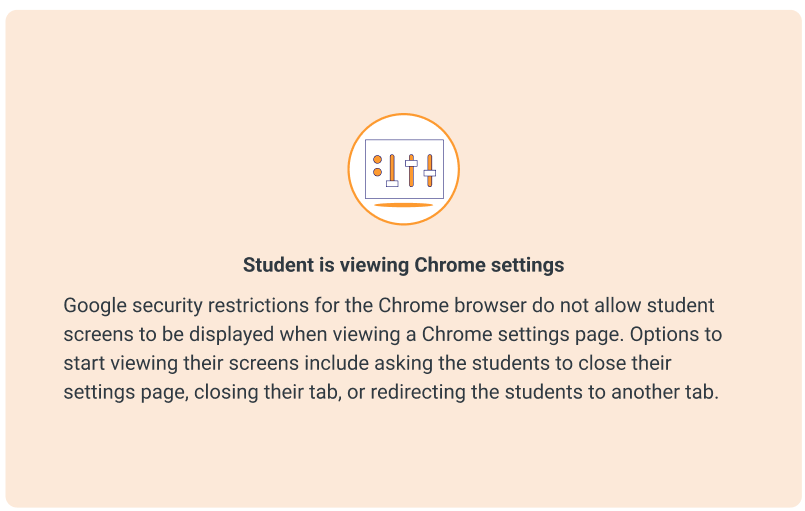
Lightspeed Classroom Management has introduced new thumbnails to assist teachers in troubleshooting why a student’s active screen is not appearing in Classroom Management. The appropriate thumbnail will appear to provide context and help explain why the screen is not showing.

Teachers will see different icons for various situations, such as when a student is viewing Chrome Settings, viewing a blank tab, doesn’t have any tabs open, and so on.

All the details, including examples of the snazzy new icons, can be found HERE.

____________________________


We rate this new feature five stars! ⭐⭐⭐⭐⭐


To add to the list of question types that users can respond to in Google Forms and enable the collection of feedback in a more engaging way, Google recently added a rating question type.
This new question type enables you to customize rating questions by setting a rating scale level from 3 to 10, and include rating icons to offer a more intuitive way to gather opinions from an audience. You can represent your rating with Stars ⭐, Hearts πŸ’–, or Thumbs upπŸ‘.
With this update, you'll be able to analyze responses to these questions (e.g. average rating of responses and visual distributions of ratings) using the Summary tab of the responses section. All the details on this new question type, and all Forms question types, can be found HERE.

What do you think of this new feature? Let us know (and get a chance to win great* prizes) HERE.
 

*As stated in a previous Tuesday Tech Tips Prize Giveaway, "great" is a relative term.  Pens, stickers, and other tchotchkes are, for these purposes, "great."

________________________________


For assistance with these topics, or anything else related to instructional technology, please click HERE to book an appointment with your building's ITT.

'

6-4-2024 Tuesday Tech Tips


In today's Tuesday Tech Tips, read all about our exciting Summer Tech Camp PL sessions, an upcoming copier replacement project in schools, end of year Chromebook procedures, and more! ➡️ ➡️➡️  


πŸ’‘ Quick Tip πŸ’‘

Did you know that you can view the last five items you copied to the clipboard on a Chromebook?  

Press the Search or the Launcher Key+V on your keyboard.


Click the image to see a quick video demonstrating this process


⬆️⬆️⬆️

Did you notice how that link brings you to an ad-free YouTube video?  Directions on how to utilize Watchkin to share ad-free videos with your students can be found in a previous Tuesday Tech Tips HERE.


Do you have a tip or idea for the Tuesday Tech Tips? Or a request for a topic or question you'd like to know more about? Please let us know! You can email us at joseph.lombardo@greececsd.org with your submission.


________________________________


Let's Go Camping This Summer!


We're thrilled to announce the Summer Tech Camp 2024 schedule (available HERE) for professional learning! August is a great time to sharpen your technology skills to help you be more effective and efficient in the coming year.
Here are a few highlights of what we're offering:

  • Google Workspace Sessions to increase your skills with tips and tricks for beginners and intermediate. Time to finally get yourself out of Microsoft Office!
  • MagicSchool and AI: build your understanding and skills with AI to make teaching and working even more effective
  • Communication Tools for making newsletters and videos to get your message out
  • Digital Wellness: investigate tips, tools, and strategies that foster a positive approach to cultivating digital wellness skills for both staff and students, including using #WinAtSocial and Digital Mindfulness
  • In-Person Training on the Interactive Flat Panels that are new this fall to all classrooms at Olympia and Athena HS and are already in all other schools
  • Other District Instruction digital tools (Infinite Campus, Nearpod, Book Creator, and more!)

These offerings are eligible for GTA Professional Learning Hours with a total of Sixteen possible hours! Please register right away to avoid cancellations due to low enrollment.

________________________________


We're afraid we might be dating ourselves with this reference


Copier Replacement Project


It's that time of the year: time to replace some of the aging copiers in our district buildings. During replacement time, you will still have access to another copier in your building. Replacements are expected to take thirty minutes to an hour.

All the fun details, including a schedule by building, can be found HERE.

This reminds us...if you utilize the services of the Print Shop that we highlighted HERE, then this is one less worry for you!
________________________________


End of Year Chromebook Procedures


Are you a K-5 teacher, and you're wondering what do with your class set of Chromebooks when summer vacation is here? Or a 6-12 teacher, and wondering what to remind your students regarding their Chromebooks for the summer?

Well, wonder no more! Please refer to the document HERE for all the details on the end of year Chromebook procedures.

________________________________


Looking for PL Hours? Be sure to check out the ITT’s page for Recommended PL HERE. You’ll find upcoming webinar and session opportunities, as well as ongoing opportunities for digital tool certifications and self-paced learning. These offerings are updated frequently so bookmark the site and check back often!


________________________________


For assistance with these topics, or anything else related to instructional technology, please click HERE to book an appointment with your building's ITT.