Google Analytics

Showing posts with label Gmail. Show all posts

4-29-2025 Tuesday Tech Tips


In today's edition, you can learn all about:

  • Some notes on use of GCSD email
  • Our Digital Wellness Challenge for Digital Wellness Day on May 2
  • Access to the Software Center on Windows devices
  • Some great ways to earn PL hours by June 1
  • and more! ➡️ ➡️➡️  

💡 Quick Tip 💡

Sometimes, an emoji says it all! Skip the comments and react with emojis in Google Docs for quick feedback and collaboration.

To add emoji reactions, Select Text > Go to Insert > Emoji Reaction  

(Not just "Emoji."  Look further down the list for "Emoji Reaction.")

If no text is selected, it’ll highlight the word where your cursor is. It’s a fun, fast way to get your point across! 


Thanks to https://blog.tcea.org/
for this tip!


Do you have a tip or idea for the Tuesday Tech Tips? Or a request for a topic or question you'd like to know more about? Please let us know! You can email us at joseph.lombardo@greececsd.org with your submission.
___________________________



This is a friendly reminder for all staff that your district-assigned email account should only be used for work-related purposes. Please don't associate your GCSD email address with, say, your Kohl's account, your Indeed or ZipRecruiter profiles, your personal banking accounts, etc.

Not only will this help you keep your personal and professional online accounts separate, it will help protect GCSD from additional potential spam, malware, and other fraudulent emails that our systems are constantly monitoring for.

Similarly, please always use your work email for work-related communications, such as correspondence with parents, families, and students.

___________________________


Did you know that May 2 is Digital Wellness Day? This is not just a day- it’s a worldwide call to pause and reassess our relationship with technology.
One of the ways we can support our students and community is to focus on how we can be a model for digital wellness. To kick things off, consider taking the 1 Week Digital Wellness Challenge linked HERE!
___________________________

Have you found the benefits from using AI (Artificial Intelligence) to enhance your teaching and work related tasks? Want to guide your students to learn the benefits of using AI? Join the MagicStudent Pilot for grade 3-12 teachers! Learn about the pilot HERE and contact your ITT to get started today!
___________________________


Reminder for staff with Windows devices- you have access to the Software Center! It lists the software applications that are available for you to install on your Windows desktop, laptop, and Interactive Panel.

The Software Center can be found by clicking on the Windows icon in the lower left, and searching for "Software." It's the first option that comes up.

___________________________


Are you a GTA member who needs to finish up your required 10 hours of PL by the hard deadline of June 1st? Are you looking for high-quality professional learning related to Instructional Technology?


Be sure to check out the ITT page for Recommended Professional Learning opportunities HERE, where you’ll find webinars, certifications, and especially some new AI learning material…all for PL credit!

___________________________


For assistance with these topics, or anything else related to instructional technology, please click HERE to book an appointment with your building's ITT.

'

Tuesday Tech Tips 4-8-2025


In today's edition, you can learn all about:

  • An update on Teacher Monitor Station requests
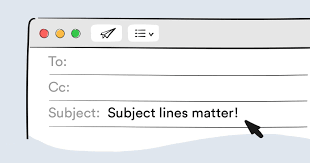
  • The best way to format a subject line
  • News regarding students' access to YouTube
  • Access to several years' worth of quick tech tips from our district DDIT meetings
  • and more! ➡️ ➡️➡️  

💡 Quick Tip 💡

Did you know you can create & customize your own keyboard shortcuts in Google Docs?  For example, you can type "hw," and have it turn into "Homework Assignment."
In Docs, go to Tools --> Preferences --> Substitutions

This is super handy for grading comments, common words, and frequently used phrases.


Do you have a tip or idea for the Tuesday Tech Tips? Or a request for a topic or question you'd like to know more about? Please let us know! You can email us at joseph.lombardo@greececsd.org with your submission.
___________________________


For anyone who has requested a monitor station, as we suggested HERE, please know that they are on order and we will fulfill the helpdesk tickets when they arrive. Thanks for your patience!
___________________________


What is the Best Way to Format an Email Subject Line? Keep email subject lines brief- ideally under sixty characters- as this ensures the full message is visible in email previews, especially on mobile devices. Lengthy subject lines can be frustrating for readers as they may not be able to discern the email's content.

Additionally, avoid using the subject line solely as a question without any context in the email body (details HERE). This can be especially confusing for mobile users who may not see the full subject. Instead, provide a concise subject line, and then include the question and relevant details within the email body for clarity. You can view Indeed’s suggestions on how to create a professional email HERE.
___________________________

Have you found the benefits from using AI (Artificial Intelligence) to enhance your teaching and work related tasks? Want to guide your students to learn the benefits of using AI? Join the MagicStudent Pilot for grade 3-12 teachers! Learn about the pilot HERE and contact your ITT to get started today!
___________________________

As we announced in the February 11th Tech Tips HERE, YouTube.com had to be blocked for students as directed by NYS. This is because of NYS’s EdLaw contracts in regards to Student PII. It is not because they think that YouTube is inappropriate.

Perhaps unsurprisingly, some students are finding simple workarounds to watch YouTube. However, these workaround don't include signing into YouTube, so we are not out of compliance with what NYS has asked us to do.

Please understand that TSS cannot possibly block every site that students find that give them the ability to watch YouTube videos.

Please follow any consequences you would apply to a student being noncompliant in your classroom for not following your instructions. It is a violation of the Code of Conduct for student to "access personal, interactive sites unless under the direct supervision of a staff member."
__________________________
“My One Little Thing” is a recurring part that we have during our District Digital Innovation Team (DDIT) meetings. The idea behind them is to show my one little thing we can’t live without with something related to technology.
One of the DDIT members suggested that we share them with the district, so we consolidated them to a Google Slide Deck HERE. It's like a hundred little Tuesday Tech Tips "Quick Tips" all in one spot!
___________________________


Are you looking for high-quality professional learning related to Instructional Technology? Contact your ITT if you’d like to customize PL for your building, team, or department. Also, be sure to check out the ITT page for Recommended Professional Learning opportunities HERE, where you’ll find webinars, certifications, and especially some new AI learning material…all for PL credit!

___________________________


For assistance with these topics, or anything else related to instructional technology, please click HERE to book an appointment with your building's ITT.

'

Tuesday Tech Tips 3-25-25


💡 Quick Tip 💡

This is a quick tip for everyone, and especially all new GCSD employees. But really, everyone. It's crucial that you have a signature in your emails. When sending an email to anyone, especially someone in the district, it's helpful for the recipient to know who you are, what your role is, your location, and possibly an extension to reach you by phone.

Directions on how to create a signature in Gmail can be found HERE.

While not included in those linked directions, we also recommend checking this box when setting up your email signature:


Do you have a tip or idea for the Tuesday Tech Tips? Or a request for a topic or question you'd like to know more about? Please let us know! You can email us at joseph.lombardo@greececsd.org with your submission. ___________________________

Change Your Drive File...But Keep the Link!


Did you know that you can update versions of non-Google files in Drive, such as PDF's and image files, without deleting the old file and adding a new one?  This is a great function to use when you want to update the version of a shared PDF without resharing the new one, and ending up with dead links to the old one.  It's a very quick process, which is shown in the video below, and also linked HERE. 


___________________________


Typing agent feedback

As part of our goal to regularly re-evaluate our digital tools, we're reviewing our K-8 keyboarding program, Typing Agent. If you're a staff member who uses Typing Agent with your students, we'd love to know what you think about it. The good, the bad, or anything in between. Please take a few moments to complete the Google Form HERE. Included in the Form is an opportunity to suggest alternative programs if you're aware of any. Thank you for your feedback- You're just our type!
___________________________


For a "light lift" intro to MagicSchool, we recommend trying out the "Top Four MagicSchool Tools for Elementary Math." You'll find four tools there that can help in your planning and instruction. Check out the image above, also linked HERE, for directions and specifics.

Or for something a little more fun, we love the Image Generator. Details in the image below, which is also linked HERE.

Have you found the benefits from using AI (Artificial Intelligence) to enhance your teaching and work related tasks? Want to guide your students to learn the benefits of using AI? Join the MagicStudent Pilot for grade 3-12 teachers! Learn about the pilot 
HERE and contact your ITT to get started today!
___________________________


For assistance with these topics, or anything else related to instructional technology, please click HERE to book an appointment with your building's ITT.

'

Tuesday Tech Tips 2-25-25


In today's edition, you can learn about:

  • Does MagicSchool AI really just write students' assignments for them?
  • A new setting in Google Forms to help avoid confusion when sharing a Form with someone
  •  New #WinAtSocial features
  • and more! ➡️ ➡️➡️  

💡 Quick Tip 💡

Using the Snooze feature in Gmail helps you manage you email workload by deferring less urgent emails and allowing them to focus on what’s important at the moment.

Hover over the email you want to snooze in your inbox. Click on the clock icon (Snooze) that appears to the right of the email.
Select a time frame from the options provided.


Snoozed emails can be found in the “Snoozed” folder located in the left sidebar. If you change your mind, simply go to the “Snoozed” folder, open the email, and click on the “Unsnooze” option to return it to your inbox immediately.


Do you have a tip or idea for the Tuesday Tech Tips? Or a request for a topic or question you'd like to know more about? Please let us know! You can email us at joseph.lombardo@greececsd.org with your submission.
___________________________


We know there's a concern that AI will just do students' work for them. Please have a look at this interaction between an real GCSD student and our MagicSchool AI platform. The student's prompt is in purple at the top, and MagicSchool's response is what follows.


Have you found the benefits from using AI (Artificial Intelligence) to enhance your teaching and work related tasks? Want to guide your students to learn the benefits of using AI? Join the MagicStudent Pilot for grade 3-12 teachers! Learn about the pilot HERE and contact your ITT to get started today!
___________________________


Google has implemented a change in the way users send and add collaborators to Google Forms. This adjustment was motivated by a desire to alleviate confusion that arose when users inadvertently added collaborators instead of sharing a link to the fillable form.

Previously, the distinction between adding collaborators and sharing the form was not as clear, leading to instances where individuals were granted editing rights when the intention was simply to allow them to fill out the form. To address this issue, Google has redesigned the sharing and collaboration process in Google Forms to more closely resemble that of Google Sites.

With this update, there is now a clearer separation between adding collaborators, who have the ability to edit the form, and publishing a link that enables others to view and complete the form. This distinction aims to provide a more intuitive user experience and minimize instances where unintended access is granted.

HERE is a link to Google's support page explaining how to publish a link for someone to fill out.

___________________________


For staff who have an active #WinAtSocial account, check out these new features! New to #WinAtSocial? Find out about #WinAtSocial here (for grades 3-12) and contact Lynn Girolamo for an account!

 Platform Playbooks are now embedded in your #WinAtSocial dashboard! Log in to your #WinAtSocial account, click on Resources, then Platform Playbooks to get information about expert breakdowns of popular apps, sites, and games and insights into how students can use them positively!
Also, check out the expanded Professional Learning opportunities with The Social Institute with their asynchronous educator courses.


NEW: Proactive Skill-Building in 10-15 Minutes:  Want to play a single Huddle rather than a whole lesson? Run #WinAtSocial in quick 10-15 minute sessions, making it easy for you to integrate into your schedule and focus on specific Huddles that meet your students' needs.


___________________________


Are you looking for high-quality professional learning related to Instructional Technology? Contact your ITT if you’d like to customize PL for your building, team, or department. Also, be sure to check out the ITT page for Recommended Professional Learning opportunities HERE, where you’ll find webinars, certifications, and especially some new AI learning material…all for PL credit!

___________________________


For assistance with these topics, or anything else related to instructional technology, please click HERE to book an appointment with your building's ITT.

'

12-10-2024 Tuesday Tech Tips


In today's edition, read all about how to personalize the icons and colors of your sections in IC, a fun and powerful AI tool from Google called NotebookLM, important changes to how Guardians receive Google Classroom summary invitations, and more! ➡️ ➡️➡️  

💡 Quick Tip 💡

Is your Gmail inbox cluttered with more junk than relevant messages?  How do you locate all these messages to unsubscribe without going through every email in your account?  

Speed up the process by going to Gmail and typing unsubscribe in the search bar at the top. A list of every message containing the word “unsubscribe” will appear.

You can then go through these emails and click the unsubscribe link.


Personalize the icon and color for each of your classes in Infinite Campus by changing them from the default. For example, if you teach Earth Science and color-code your classes, you can have red, orange, and green Earth icons next to their respective classes. Just click the gear icon next to each of your classes, and personalize them today!

Thanks to Colleen Thorndike from ODY for sharing this awesome tip! Do you have a tip or idea for the Tuesday Tech Tips? Or a request for a topic or question you'd like to know more about? Please let us know! You can email us at joseph.lombardo@greececsd.org with your submission.

___________________________


There's a new AI tool from Google that we're very excited about: Notebook LM  

You can upload PDFs, websites, YouTube videos, audio files, Google Docs, or Google Slides, and NotebookLM will summarize them and make interesting connections between topics, all powered by Gemini 1.5’s multimodal understanding capabilities.  NotebookLM's main purpose is to make a very specifically trained AI based on content you feed it. You can then ask it specific questions, it can make study guides, FAQ's, briefing docs, etc.  It even has a "Discussion" output that will create a podcast based on the information you supply. 

For example, let's say that you didn't have a chance to read the most recent Tech Tips.  Using NotebookLM, we turned them into a podcast that you can listen to any time HERE.  What better way to spend your time on your drive home from work today than listening to a Tuesday Tech Tips podcast?!  All it took was providing the link to the Tips in NotebookLM, and it created a podcast for us, which (like any output from any AI source), we could edit as needed.  

NotebookLM is available to GCSD staff (not students) HERE.  Give it a try!  It does not use your personal data, including your source uploads, queries, and the responses from the model for training.

___________________________


On December 9th, we made two important changes to how Guardians receive Google Classroom summary invitations. Previously, guardians received a one-time invitation when their child reached third grade or they first joined the district. If they did not accept this invitation, they needed to ask a teacher to remove and re-add them to Google Classroom to receive summaries. We updated this process so that, beginning in third grade, parents and guardians who have not signed up for Google Classroom Summaries will receive automatic invitations three times a year: in the first week of September, January, and March. To ensure that only parents and guardians with a legal right to receive this information have access, only those listed as Guardians in Infinite Campus will be included in Google Classroom. Any individuals who should not have access were removed on December 9th. If parents or guardians contact a teacher for access, please refer them to the main office in their building to file the necessary paperwork. After December 9th, teachers in Google Classroom will no longer have the ability or any responsibility for adding guardians. If you have any questions, please reach out to Brad Malone, Executive Director of Technology.
___________________________


Thanks to everyone who submitted a response to our Form letting us know what you think of the new Form rating scale question type. (Very meta, as the kids say.)

We like and appreciate all of you so much, we decided that everyone who submitted a response wins great prizes! They were just sent via interoffice courier, please be on the lookout for those soon.


________________________________


For assistance with these topics, or anything else related to instructional technology, please click HERE to book an appointment with your building's ITT.

'