
In today's edition, you can learn all about:
| 💡 Quick Tip 💡 Did you know you can create & customize your own keyboard shortcuts in Google Docs? For example, you can type "hw," and have it turn into "Homework Assignment." In Docs, go to Tools --> Preferences --> Substitutions This is super handy for grading comments, common words, and frequently used phrases.  |
Do you have a tip or idea for the Tuesday Tech Tips? Or a request for a topic or question you'd like to know more about? Please let us know! You can email us at joseph.lombardo@greececsd.org with your submission.
___________________________

For anyone who has requested a monitor station, as we suggested HERE, please know that they are on order and we will fulfill the helpdesk tickets when they arrive. Thanks for your patience!
___________________________
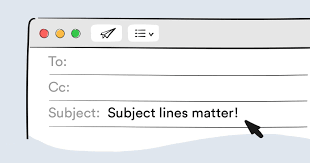
What is the Best Way to Format an Email Subject Line?
Keep email subject lines brief- ideally under sixty characters- as this ensures the full message is visible in email previews, especially on mobile devices. Lengthy subject lines can be frustrating for readers as they may not be able to discern the email's content.
Additionally, avoid using the subject line solely as a question without any context in the email body (details HERE). This can be especially confusing for mobile users who may not see the full subject. Instead, provide a concise subject line, and then include the question and relevant details within the email body for clarity.
You can view Indeed’s suggestions on how to create a professional email HERE.
___________________________
Have you found the benefits from using AI (Artificial Intelligence) to enhance your teaching and work related tasks? Want to guide your students to learn the benefits of using AI? Join the MagicStudent Pilot for grade 3-12 teachers! Learn about the pilot HERE and contact your ITT to get started today!
___________________________
As we announced in the February 11th Tech Tips HERE, YouTube.com had to be blocked for students as directed by NYS. This is because of NYS’s EdLaw contracts in regards to Student PII. It is not because they think that YouTube is inappropriate.
Perhaps unsurprisingly, some students are finding simple workarounds to watch YouTube. However, these workaround don't include signing into YouTube, so we are not out of compliance with what NYS has asked us to do.
Please understand that TSS cannot possibly block every site that students find that give them the ability to watch YouTube videos.
Please follow any consequences you would apply to a student being noncompliant in your classroom for not following your instructions. It is a violation of the Code of Conduct for student to "access personal, interactive sites unless under the direct supervision of a
staff member."
__________________________

“My One Little Thing” is a recurring part that we have during our District Digital Innovation Team (DDIT) meetings. The idea behind them is to show my one little thing we can’t live without with something related to technology.
One of the DDIT members suggested that we share them with the district, so we consolidated them to a Google Slide Deck HERE.
It's like a hundred little Tuesday Tech Tips "Quick Tips" all in one spot!
___________________________
Are you looking for high-quality professional learning related to Instructional Technology? Contact your ITT if you’d like to customize PL for your building, team, or department. Also, be sure to check out the ITT page for Recommended Professional Learning opportunities HERE, where you’ll find webinars, certifications, and especially some new AI learning material…all for PL credit!
___________________________

For assistance with these topics, or anything else related to instructional technology, please click HERE to book an appointment with your building's ITT.
'


No comments:
Post a Comment
Send feedback or suggestions!