Google Analytics

Showing posts with label chromebooks. Show all posts

Tuesday Tech Tips Special Edition: Dangerous TikTok Chromebook Challenge 5-20-2025


GCSD Staff-

The message below was recently sent to families across the district regarding a TikTok Chromebook Challenge. We’ve observed this trend in some Greece classrooms and wanted to make sure everyone is informed with this consistent message. 

According to the article HERE, an individual in RCSD was just hospitalized due to a "smoking" Chromebook.  While it hasn’t been confirmed yet that this was connected to the Chromebook Challenge, at least five of these incidents across New York are reportedly connected. 


Dear Families, 

We need your help addressing a dangerous trend happening in some of our schools. A current TikTok challenge encourages students to insert pencil lead into Chromebook USB ports, which can cause sparks, short circuits, and even fires.

Unfortunately, in many cases, students are damaging other people’s devices—not their own—leaving their peers without a working Chromebook. This is unfair and disruptive, especially since we do not have an unlimited supply of replacement devices. 

Please talk with your child about respecting school property and the impact their actions can have on others. Make them aware that any student found intentionally damaging a Chromebook will face disciplinary action, and families will be responsible for replacement costs—up to $200.

Thank you for your support in keeping our schools safe and focused on learning.

6-4-2024 Tuesday Tech Tips


In today's Tuesday Tech Tips, read all about our exciting Summer Tech Camp PL sessions, an upcoming copier replacement project in schools, end of year Chromebook procedures, and more! ➡️ ➡️➡️  


💡 Quick Tip 💡

Did you know that you can view the last five items you copied to the clipboard on a Chromebook?  

Press the Search or the Launcher Key+V on your keyboard.


Click the image to see a quick video demonstrating this process


⬆️⬆️⬆️

Did you notice how that link brings you to an ad-free YouTube video?  Directions on how to utilize Watchkin to share ad-free videos with your students can be found in a previous Tuesday Tech Tips HERE.


Do you have a tip or idea for the Tuesday Tech Tips? Or a request for a topic or question you'd like to know more about? Please let us know! You can email us at joseph.lombardo@greececsd.org with your submission.


________________________________


Let's Go Camping This Summer!


We're thrilled to announce the Summer Tech Camp 2024 schedule (available HERE) for professional learning! August is a great time to sharpen your technology skills to help you be more effective and efficient in the coming year.
Here are a few highlights of what we're offering:

  • Google Workspace Sessions to increase your skills with tips and tricks for beginners and intermediate. Time to finally get yourself out of Microsoft Office!
  • MagicSchool and AI: build your understanding and skills with AI to make teaching and working even more effective
  • Communication Tools for making newsletters and videos to get your message out
  • Digital Wellness: investigate tips, tools, and strategies that foster a positive approach to cultivating digital wellness skills for both staff and students, including using #WinAtSocial and Digital Mindfulness
  • In-Person Training on the Interactive Flat Panels that are new this fall to all classrooms at Olympia and Athena HS and are already in all other schools
  • Other District Instruction digital tools (Infinite Campus, Nearpod, Book Creator, and more!)

These offerings are eligible for GTA Professional Learning Hours with a total of Sixteen possible hours! Please register right away to avoid cancellations due to low enrollment.

________________________________


We're afraid we might be dating ourselves with this reference


Copier Replacement Project


It's that time of the year: time to replace some of the aging copiers in our district buildings. During replacement time, you will still have access to another copier in your building. Replacements are expected to take thirty minutes to an hour.

All the fun details, including a schedule by building, can be found HERE.

This reminds us...if you utilize the services of the Print Shop that we highlighted HERE, then this is one less worry for you!
________________________________


End of Year Chromebook Procedures


Are you a K-5 teacher, and you're wondering what do with your class set of Chromebooks when summer vacation is here? Or a 6-12 teacher, and wondering what to remind your students regarding their Chromebooks for the summer?

Well, wonder no more! Please refer to the document HERE for all the details on the end of year Chromebook procedures.

________________________________


Looking for PL Hours? Be sure to check out the ITT’s page for Recommended PL HERE. You’ll find upcoming webinar and session opportunities, as well as ongoing opportunities for digital tool certifications and self-paced learning. These offerings are updated frequently so bookmark the site and check back often!


________________________________


For assistance with these topics, or anything else related to instructional technology, please click HERE to book an appointment with your building's ITT.


5-7-2024 Tuesday Tech Tips


In today's Tuesday Tech Tips, read all about saving time & resources with the GCSD Print Shop, free premium access to the Calm app for NYSUT members, important safety information regarding Chromebook charging, a PL opportunity on AI, and more! ➡️ ➡️➡️  


💡 Quick Tip 💡

+
=


While your Chromebook keyboard doesn't have a "Delete" key, to mimic the Delete key's functionality on Chrome OS, you can use this keyboard shortcut: Search Key + Backspace. Use this key combo to erase the character to the right of, or "in front of," your blinking cursor.


Do you have a tip or idea for the Tuesday Tech Tips? Or a request for a topic or question you'd like to know more about? Please let us know! You can email us at joseph.lombardo@greececsd.org with your submission.
_____________________


GCSD's Print Shop is located in the Transportation and Support Services Facility, and offers a wide variety of products and services to our schools and departments. They're also really nice people! In an effort to spread the word about what's available in-house, they have put together this handy resource HERE. Employees are encouraged to use the Print Shop for most print jobs, because doing so saves time and money. The Print Shop is part of the Communications Office, and they're happy to work with employees on all types of custom jobs. Contact them at extension 2640 between 7 a.m. and 4 p.m. with any questions about printing and mailing services. A link to submit jobs electronically is in ClassLink in the "GCSD Operations" folder.

Please also consider costs and the environment before printing. Can you share documents digitally instead? Are you printing only the pages and copies necessary?  Can you use tools like Kami, Google Docs, and Google Classroom to collaborate and annotate digitally instead?

Whenever copying or sharing any material, on paper or electronically, don't forget to consider Copyright laws! This one page document HERE is designed especially for teachers and how copyright impacts us. To enjoy some light reading on GCSD's Board Policy and Regulations on Copyright, click HERE.
_____________________


Calm is a mental health app designed to help you manage stress, sleep better, and live a happier, healthier life. Their research-based tools help you build life-changing habits to support your mental health.

While Calm is a district-approved digital resource, the district does not have a subscription, so you're limited to the free tools. However, NYSUT members have access to a free premium account. The premium Calm subscription provides members with unlimited access to the full library of content at calm.com and in the Calm app, which can be utilized via a desktop, laptop, tablet, or mobile device. Members can add up to five dependents (age 16 or older) to receive their own premium Calm subscription.

The link with instructions from NYSUT is HERE. Please note you may have to be logged into your NYSUT account in order for that link to work.

When you follow the directions linked at that page, it suggests using your personal email address to set up your account. If you use your GCSD Google account instead, then you can use the Calm app in ClassLink with the Google log in. If you plan to use Calm only from your personal device, then we'd recommend using your personal email address.
_____________________


A student in another district in NYS was charging a Chromebook at home on a couch cushion when a family member smelled smoke. The battery had failed, caught fire, and burned the couch fabric and cushion- which thankfully were treated with flame retardant, avoiding what could have been a devastating tragedy.

Based on this event, we're sharing the following recommendations from NYSIR Director of Risk Management:  
  • Electronic devices should be charged on a solid surface where the device has appropriate space to vent, NEVER on fabric such as a chair, couch cushion, pillow, bed, or blanket.
  • Charge devices where they can be monitored. If the device gets hot, unplug it and take it outside away from combustibles. 
_____________________


Teachers, register for this upcoming PL opportunity offered to all NYS teachers through the Greater Rochester Teacher Center Network, Harnessing the Power of AI to Elevate Student Learning and Engagement, on July 24 from 8-3 at the TSSF. Greece teachers can earn 6 PL hours with no cost to register.

Remember that our current district-approved and supported AI tool is MagicSchool. See HERE for more information and to register.
_____________________


Looking for PL Hours? Be sure to check out the ITT’s page for Recommended PL HERE. You’ll find upcoming webinar and session opportunities, as well as ongoing opportunities for digital tool certifications and self-paced learning. These offerings are updated frequently so bookmark the site and check back often!
_____________________


For assistance with these topics, or anything else related to instructional technology, please click HERE to book an appointment with your building's ITT.


4-23-2024 Tuesday Tech Tips


In today's Tuesday Tech Tips, read all about using a citation and bibliography tool built into Google Docs, news on Newsela, how to leverage Swank to provide access to movies for your students, and more! ➡️ ➡️➡️  


💡 Quick Tip 💡

Action shot of a Tuesday Tech Tips reader putting a new skill to use.


On a Chromebook, one way to open a link in a new tab is to use a 3-finger click.  Score another one for Chromebooks!

More details HERE.


Do you have a tip or idea for the Tuesday Tech Tips? Or a request for a topic or question you'd like to know more about? Please let us know! You can email us at joseph.lombardo@greececsd.org with your submission.
_____________________


Did you know that Google Docs can help students properly cite and create a bibliography using Chicago, MLA, or APA style? In Docs, go to Tools --> Citations.

Citing your sources has never been more fun. More details can be found HERE.
_____________________


Newsela has changed their “free” access. They now pick the articles that are “free," removing the choice for teachers. This has mainly impacted the ELA teachers at the secondary level.

As we begin the curriculum review cycle with the 9-12 teachers, this might be a resource that we add at a premium level should the committee determine it is needed. We will continue to renew premium level access for all Social Studies teachers on our 6-12 campuses.

Bonus Tip: Have you ever wondered how to pronounce Newsela? Well, grab your umbrella, eat some mozzarella, and click HERE to find out.

_____________________


Loyal Tuesday Tech Tips
Reader Hilary Swank
 

You can share links to movies from Swank directly with your students!  While only staff members can search for movies in Swank, which is accessible via ClassLink, you can get links to movies there- and share the links with your students.  

Using the link you provide them, students can supply their GCSD Google accounts credentials, and stream the movie on their own devices.

Inspiring content available in Swank

Please remember to always consider the Board Policy on movies as it relates to ratings and ages linked HERE before using Swank, or any other movies, with your students.  
_____________________


Looking for PL Hours? Be sure to check out the ITT’s page for Recommended PL HERE. You’ll find upcoming webinar and session opportunities, as well as ongoing opportunities for digital tool certifications and self-paced learning. These offerings are updated frequently so bookmark the site and check back often!
_____________________


For assistance with these topics, or anything else related to instructional technology, please click HERE to book an appointment with your building's ITT.


1-30-2024 Tuesday Tech Tips

Welcome to the 💯th edition of the Tuesday Tech Tips!

In today's Tuesday Tech Tips, read all about a quick way to take a screenshot on a Chromebook, a resource to use YouTube ad-free with your students or in presentations, a scam targeting school district employees in Monroe County, a free random name chooser and group maker that lets you save your lists, and more! ➡️ ➡️➡️  


💡 Quick Tip 💡

We recently told you about the Windows keystroke shortcut to take a screenshot. By request, today we're sharing how to do it on a Chromebook.

 
Control + Show (the key above the 6 that looks like a rectangle next to two vertical lines) takes a screenshot of the whole screen.

Control + Shift + Show lets you select an area to take a screenshot of.  

Find all the details on this HERE, with a BONUS TIP on how to record your Chromebook screen. 


Do you have a tip or idea for the Tuesday Tech Tips? Or a request for a topic or question you'd like to know more about? Please let us know! You can email us at joseph.lombardo@greececsd.org with your submission.

________________________________


Use YouTube ad-free with Watchkin

The ads in YouTube can be a real intrusion into a lesson or presentation that incorporates a YouTube video. For those of you that remember ViewPure, Watchkin operates in essentially the same way. Viewpure was blocked in GCSD since it turned out to be a way for students to circumvent our filters. It's also out of business, so there's that, too. Watchkin is currently an alternative. For example, at this link you can enjoy highlights of Notre Dame dismantling USC in tackle football, but, you're likely going to be presented with ads: Alternatively, using Watchkin, you can watch the same glorious video at this link, without those pesky advertisements: If you visit Watchkin.com, the process will be clear. Please note, there's documentation on their site about adding a bookmark and an extension to convert a YouTube link to a Watchkin link- however that currently isn't available in our environment. But with a quick copy and paste, your YouTube links can become ad-free Watchkin links.
________________________________


No, the Superintendent isn't Texting You


We recently became aware of a scheme happening where a staff member gets a text purporting to be from Superintendent Kathy Graupman. There are texts like the one shown above being sent with the names of at least four other district superintendents in Monroe County.

Please have a look at the screenshot of the texts. It comes from area code 213, which is in Los Angeles. The initial text is signed "Thanks, Ms. Kathleen Graupman." No one besides my mother signs their texts. The initial text included a sense of urgency with "text me back as soon as you can." Things like this should make you question the validity of a text.

There is virtually no legitimate scenario where an urgent text or email comes from out of the blue from someone you don't regularly communicate with. Please remember to remain vigilant to avoid being the victim of a scam.

And don't ever buy gift cards for someone on the internet. Ever.
________________________________


Random Name Selector and Group Maker

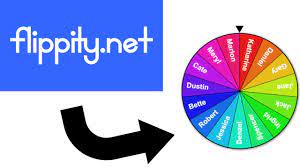
There are plenty of sites out there that let you make as random name chooser, but most of them don't let you save your work, or they're overloaded with ads, or both. We've got a solution for you that's almost ad-free*, lets you save your lists, and is very easy to use.

Check out flippity.net HERE. There's enough there to keep you busy for very long time, but we're looking at the top row, 4th column, "Random Name Picker." Click "Instructions," follow the directions, and in just seconds, you can create and save your random name choosers/group makers.

For example, are you having a hard time deciding which ITT is your favorite? Get help deciding with the spinner HERE.

  • Okay let's clarify that asterisk* above. When you go to the Flippity home page, there are ads. But, the spinners and other tools you create there don't have ads. So when you pull up your random name chooser like this one HERE on your Interactive Panel in front of your class in the moment, there won't be any ads.


When SMART Notebook retired their name chooser, that was a dark day for many of us. Flippity can make those clouds go away.

________________________________


Looking for PL Hours? Be sure to check out the ITT’s page for Recommended PL HERE. You’ll find upcoming webinar and session opportunities, as well as ongoing opportunities for digital tool certifications and self-paced learning. These offerings are updated frequently so bookmark the site and check back often!


________________________________


For assistance with these topics, or anything else related to instructional technology, please click HERE to book an appointment with your building's ITT.