Google Analytics

12-10-2024 Tuesday Tech Tips


In today's edition, read all about how to personalize the icons and colors of your sections in IC, a fun and powerful AI tool from Google called NotebookLM, important changes to how Guardians receive Google Classroom summary invitations, and more! ➡️ ➡️➡️  

πŸ’‘ Quick Tip πŸ’‘

Is your Gmail inbox cluttered with more junk than relevant messages?  How do you locate all these messages to unsubscribe without going through every email in your account?  

Speed up the process by going to Gmail and typing unsubscribe in the search bar at the top. A list of every message containing the word “unsubscribe” will appear.

You can then go through these emails and click the unsubscribe link.



Personalize the icon and color for each of your classes in Infinite Campus by changing them from the default. For example, if you teach Earth Science and color-code your classes, you can have red, orange, and green Earth icons next to their respective classes. Just click the gear icon next to each of your classes, and personalize them today!

Thanks to Colleen Thorndike from ODY for sharing this awesome tip! Do you have a tip or idea for the Tuesday Tech Tips? Or a request for a topic or question you'd like to know more about? Please let us know! You can email us at joseph.lombardo@greececsd.org with your submission.

___________________________


There's a new AI tool from Google that we're very excited about: Notebook LM  

You can upload PDFs, websites, YouTube videos, audio files, Google Docs, or Google Slides, and NotebookLM will summarize them and make interesting connections between topics, all powered by Gemini 1.5’s multimodal understanding capabilities.  NotebookLM's main purpose is to make a very specifically trained AI based on content you feed it. You can then ask it specific questions, it can make study guides, FAQ's, briefing docs, etc.  It even has a "Discussion" output that will create a podcast based on the information you supply. 

For example, let's say that you didn't have a chance to read the most recent Tech Tips.  Using NotebookLM, we turned them into a podcast that you can listen to any time HERE.  What better way to spend your time on your drive home from work today than listening to a Tuesday Tech Tips podcast?!  All it took was providing the link to the Tips in NotebookLM, and it created a podcast for us, which (like any output from any AI source), we could edit as needed.  

NotebookLM is available to GCSD staff (not students) HERE.  Give it a try!  It does not use your personal data, including your source uploads, queries, and the responses from the model for training.

___________________________


On December 9th, we made two important changes to how Guardians receive Google Classroom summary invitations. Previously, guardians received a one-time invitation when their child reached third grade or they first joined the district. If they did not accept this invitation, they needed to ask a teacher to remove and re-add them to Google Classroom to receive summaries. We updated this process so that, beginning in third grade, parents and guardians who have not signed up for Google Classroom Summaries will receive automatic invitations three times a year: in the first week of September, January, and March. To ensure that only parents and guardians with a legal right to receive this information have access, only those listed as Guardians in Infinite Campus will be included in Google Classroom. Any individuals who should not have access were removed on December 9th. If parents or guardians contact a teacher for access, please refer them to the main office in their building to file the necessary paperwork. After December 9th, teachers in Google Classroom will no longer have the ability or any responsibility for adding guardians. If you have any questions, please reach out to Brad Malone, Executive Director of Technology.
___________________________


Thanks to everyone who submitted a response to our Form letting us know what you think of the new Form rating scale question type. (Very meta, as the kids say.)

We like and appreciate all of you so much, we decided that everyone who submitted a response wins great prizes! They were just sent via interoffice courier, please be on the lookout for those soon.


________________________________


For assistance with these topics, or anything else related to instructional technology, please click HERE to book an appointment with your building's ITT.

'

11-19-2024 Tuesday Tech Tips


In today's edition, read all about several clever ways to share YouTube videos (including clips of them) with your students or any audience, distance learning opportunities, updates to the teacher view of Lightspeed Classroom, an exciting new feature in Google Forms, another opportunity to win stuff, and more! ➡️ ➡️➡️  


πŸ’‘ Quick Tip πŸ’‘

Did you know you can edit images inside Google Docs and Slides?

In just a few clicks, you and your students can add some pizzazz to your images in Google Docs and Google Slides. You can edit the size, crop, recolor, and more!

See detailed directions HERE and HERE.


Do you have a tip or idea for the Tuesday Tech Tips? Or a request for a topic or question you'd like to know more about? Please let us know! You can email us at joseph.lombardo@greececsd.org with your submission.

________________________________


Update: as of 9/2026, Google has discontinued this functionality.


Did you know you can share short clips from 15 to 60 seconds of many YouTube videos by making a "clip"? You can also create and share a link to a YouTube video that will start the video at a specific point.

  • An explanation on how to clip a YouTube video can be found HERE. That includes instructions how to configure your YouTube settings so you can use this feature.
  • To define a "Start at" time, click the Share button under the video and look for the check box to choose a timestamp. You can also add a timestamp manually by typing special characters after the regular link. The nice folks at Lifewire have written up a detailed guide for both of these methods HERE.


And let's not forget, back in the πŸ’―th edition of the Tuesday Tech Tips HERE, we showed how you can use Watchkin to share YouTube videos without ads.

Using these methods, you can, for example, share a video of Pink Floyd's 1994 performance of Comfortably Numb these three ways:
  • A clip of a particularly spectacular portion of David Gilmour's legendary guitar solo HERE.
  • A "Start at" link beginning at the first solo, or the 2:12 mark, HERE. (may have ads)
  • An ad-free version of the entire video HERE.

This reminds us....even if progressive British rock isn't your bag, there are scores of distance learning opportunities in not just music but all subject areas available for you and your students. These include the Country Music Hall of Fame HERE and the Manhattan School of Music HERE, all available through the Center for Interactive Learning and Collaboration (CILC), which you can learn more about in a previous edition of your Tech Tips HERE.

____________________________


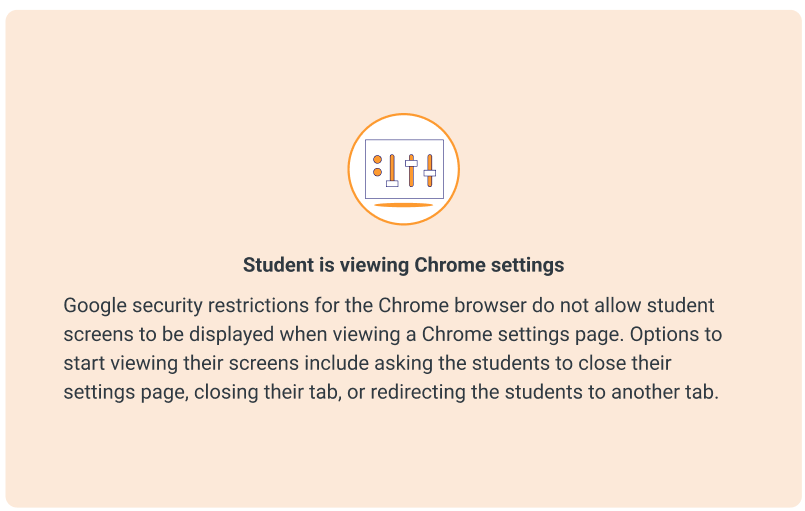
Lightspeed Classroom Management has introduced new thumbnails to assist teachers in troubleshooting why a student’s active screen is not appearing in Classroom Management. The appropriate thumbnail will appear to provide context and help explain why the screen is not showing.

Teachers will see different icons for various situations, such as when a student is viewing Chrome Settings, viewing a blank tab, doesn’t have any tabs open, and so on.

All the details, including examples of the snazzy new icons, can be found HERE.

____________________________


We rate this new feature five stars! ⭐⭐⭐⭐⭐


To add to the list of question types that users can respond to in Google Forms and enable the collection of feedback in a more engaging way, Google recently added a rating question type.
This new question type enables you to customize rating questions by setting a rating scale level from 3 to 10, and include rating icons to offer a more intuitive way to gather opinions from an audience. You can represent your rating with Stars ⭐, Hearts πŸ’–, or Thumbs upπŸ‘.
With this update, you'll be able to analyze responses to these questions (e.g. average rating of responses and visual distributions of ratings) using the Summary tab of the responses section. All the details on this new question type, and all Forms question types, can be found HERE.

What do you think of this new feature? Let us know (and get a chance to win great* prizes) HERE.
 

*As stated in a previous Tuesday Tech Tips Prize Giveaway, "great" is a relative term.  Pens, stickers, and other tchotchkes are, for these purposes, "great."

________________________________


For assistance with these topics, or anything else related to instructional technology, please click HERE to book an appointment with your building's ITT.

'

11-5-2024 Tuesday Tech Tips


In today's edition, read all about updates on the AI tools available to GCSD staff and students, how to safely clean your Interactive Panel, searching the Web Help Desk FAQ section to get quick answers to your tech support questions, using Chrome's Reading Mode to cut down on visual distractions, and more! ➡️ ➡️➡️  


πŸ’‘ Quick Tip πŸ’‘

Are you tired of constantly entering two-factor authentication codes in Google Chrome? We've learned that some of our users are doing this A LOT.  As in, multiple times a day.  If you find yourself repeatedly signing in to your account, there’s a simple solution.

  1. In the address bar in Chrome, type: chrome://settings/content/siteData
  2. Make sure the option "Allow sites to save data on your device" is selected.
  3. Close Chrome and then reopen it. You should only need to sign in once more with two-factor authentication.


Do you have a tip or idea for the Tuesday Tech Tips? Or a request for a topic or question you'd like to know more about? Please let us know! You can email us at joseph.lombardo@greececsd.org with your submission.

________________________________


All staff have access to two fabulous AI tools for GCSD when signing in with your GCSD Google account. First, GCSD staff have access to MagicSchool (also found in ClassLink).

Visit our MagicSchool page on our ITT site for more information. MagicSchool is a great tool to increase your productivity and for various daily tasks for instruction and beyond! Be sure to refer to this poster of Best Practices for Using AI. 

Grades 3-12 teachers who have used MagicSchool may want to pilot MagicSchool for Students (MagicStudent) by visiting our MagicSchool page on our ITT site and contacting their ITT.

Secondly, Gemini by Google is a chatbot similar to ChatGPT. Watch the intro video here.


________________________________


The approved cleaning solution for ViewSonic and BoxLight Interactive Panels is the Ready-To-Use Non-Ammoniated Glass Cleaner, which can be obtained by contacting the custodian for your building.

Cleaning solutions should be sprayed onto a soft lint free cloth and then wiped on to the surface of the device to be cleaned. Cleaning solutions should NOT be sprayed directly on to computer devices, to avoid the potential of drenching the device with liquid which can damage the device.

This information can be found in the FAQ section of Web Help Desk. You can search the FAQ by going HERE and searching by category or even just keyword. What a great self-help resource!


________________________________


You can customize your reading experience on Chrome with Reading mode. This feature is conveniently located in the side panel and helps you:

  • Focus more easily on text.
  • Reduce distractions from images and videos on screen.
  • Select alternate typeface and font size.
  • Adjust letter and sentence spacing.
  • Choose background color.

If you’re using a Chromebook, you can even hear the text on the page with Read aloud.

Reading Mode works on many, but not all, websites.  (Spoiler: it doesn't work on the Tuesday Tech Tips).  You can find all the details about Reading Mode HERE.


_______________


For assistance with these topics, or anything else related to instructional technology, please click HERE to book an appointment with your building's ITT.
________________________________

'

10-15-2024 Tech Tips


In today's edition, read all about how to adopt a Chromebook charging cart or offer your cart to a teacher who wants one, see GCSD featured in TWO recent local news stories on technology in education, find out who our lucky winners were from our GCSD Connections Puzzle game in the previous edition of the Tips, see how to use Flippity to make a random name chooser, and more! ➡️ ➡️➡️  


πŸ’‘ Quick Tip πŸ’‘

Did you know you can instantly create a new GSuite document by typing one of the following ".new" addresses directly into your browser address bar?

doc.new
docs.new
sheet.new
sheets.new
spreadsheet.new
form.new
forms.new
slides.new
slide.new
site.new
sites.new
keep.new


Do you have a tip or idea for the Tuesday Tech Tips? Or a request for a topic or question you'd like to know more about? Please let us know! You can email us at joseph.lombardo@greececsd.org with your submission.
________________________________

We know you just thought of this.

Do you have a big, old, space-thieving laptop cart in your classroom that you'd like to find a nice, new home for? Or do you want a laptop cart in your (probably elementary) classroom to make charging and storing your students' Chromebooks work for you?


Well consider today's Tech Tips a mini-dating site, where we're making matches for people who have a cart to give and those who want to give a cart a new home.

If you're a cart GIVER, please click on the Form HERE to offer your cart up for adoption.

If you're LOOKING FOR A CART, please click the link HERE and follow the directions on the first tab to find a cart to adopt.

________________________________

GCSD was recently featured in two local news segments related to technology in education. Please see the videos embedded below, which can also be found at the stories from Channel 8 linked HERE and Channel 13 linked HERE.


In these stories, GCSD's own Lynn Girolamo discusses how we're thoughtfully rolling out AI for our students (Channel 8), and the impact of social media on adolescents (Channel 13). Well done, Lynn!


________________________________


You'll remember that in the previous Tips, there was a Connections-esque puzzle, and the promise of big, big prizes.  Well the buzz around GCSD is palpable- the people are clambering for the names of the winners! 

To determine the winners, we used a tool you all have access to called Flippity.  Please check out the video HERE (also embedded below), with a very brief demonstration on how to use Flippity, and to see the winners' names revealed!


________________________________
________________________________

For assistance with these topics, or anything else related to instructional technology, please click HERE to book an appointment with your building's ITT. ________________________________


'

10-1-2024 Tuesday Tech Tips


In today's edition, read all about ways to create your own Wordle and Connections games (and even play one we made for you- with prizes!), news on Jamboard being sent out to the great Digital Pasture in the Cloud, how to create Google Calendar events right in Gmail, and more. ➡️ ➡️➡️  


πŸ’‘ Quick Tip πŸ’‘

Did you know there are two ways to make setting up meetings easier right in Gmail?

You can “Create an event” from an email, or use the new “Let’s Meet” feature, where you instantly choose available times and email them to someone for them to make an appointment.


Check out all the details HERE.


Do you have a tip or idea for the Tuesday Tech Tips? Or a request for a topic or question you'd like to know more about? Please let us know! You can email us at joseph.lombardo@greececsd.org with your submission.
________________________________


Make your own Wordle-esque games for your students with Word Rodeo, linked HERE. Puzzles can be be as short as three letters and as long as ten letters. More options include adding a hint, and allowing up to twelve guesses. Languages include English, German, French, and Polish.

You can also make your own Connections puzzles, or even have your students create their own, HERE. Connections is a word game that challenges players to find themes between words. Players are given sixteen words and find groups of four items that share something in common.

We made a Greece Central-themed example puzzle for you. Try your skills at our Connections game HERE!


Did you solve our Connections puzzle? Send us a screenshot to joseph.lombardo@greececsd.org by October 4 for a chance to win great* prizes! Need a reminder on how to take a screenshot on a Chromebook? Just refer back to the "Quick Tip" in our 100th issue of the Tech Tips HERE.

*We've taken some liberties with the word "great." We mean, ya know, like stickers, pens, tchotchkes...things like that...

Credit to Tony Vincent for sharing some of these tools on Twitter!

________________________________

A moment of silence as we remember Jamboard, and all the kids that messed with our Jams during remote learning.


Jamboard will become view-0nly today, 10-1-24. You will no longer be able to create new or edit existing Jams on any platform. You will no longer be able to access the Jamboard app or files after 12-31-24.

Your ITT team is working on identifying tools with equivalent functionality, and will communicate alternates to Jamboard in an upcoming Tuesday Tech Tips, so stay tuned!

________________________________


For assistance with these topics, or anything else related to instructional technology, please click HERE to book an appointment with your building's ITT.
________________________________

'