Google Analytics

Showing posts with label Google Slides. Show all posts

11-19-2024 Tuesday Tech Tips


In today's edition, read all about several clever ways to share YouTube videos (including clips of them) with your students or any audience, distance learning opportunities, updates to the teacher view of Lightspeed Classroom, an exciting new feature in Google Forms, another opportunity to win stuff, and more! ➡️ ➡️➡️  


πŸ’‘ Quick Tip πŸ’‘

Did you know you can edit images inside Google Docs and Slides?

In just a few clicks, you and your students can add some pizzazz to your images in Google Docs and Google Slides. You can edit the size, crop, recolor, and more!

See detailed directions HERE and HERE.


Do you have a tip or idea for the Tuesday Tech Tips? Or a request for a topic or question you'd like to know more about? Please let us know! You can email us at joseph.lombardo@greececsd.org with your submission.

________________________________


Update: as of 9/2026, Google has discontinued this functionality.


Did you know you can share short clips from 15 to 60 seconds of many YouTube videos by making a "clip"? You can also create and share a link to a YouTube video that will start the video at a specific point.

  • An explanation on how to clip a YouTube video can be found HERE. That includes instructions how to configure your YouTube settings so you can use this feature.
  • To define a "Start at" time, click the Share button under the video and look for the check box to choose a timestamp. You can also add a timestamp manually by typing special characters after the regular link. The nice folks at Lifewire have written up a detailed guide for both of these methods HERE.


And let's not forget, back in the πŸ’―th edition of the Tuesday Tech Tips HERE, we showed how you can use Watchkin to share YouTube videos without ads.

Using these methods, you can, for example, share a video of Pink Floyd's 1994 performance of Comfortably Numb these three ways:
  • A clip of a particularly spectacular portion of David Gilmour's legendary guitar solo HERE.
  • A "Start at" link beginning at the first solo, or the 2:12 mark, HERE. (may have ads)
  • An ad-free version of the entire video HERE.

This reminds us....even if progressive British rock isn't your bag, there are scores of distance learning opportunities in not just music but all subject areas available for you and your students. These include the Country Music Hall of Fame HERE and the Manhattan School of Music HERE, all available through the Center for Interactive Learning and Collaboration (CILC), which you can learn more about in a previous edition of your Tech Tips HERE.

____________________________
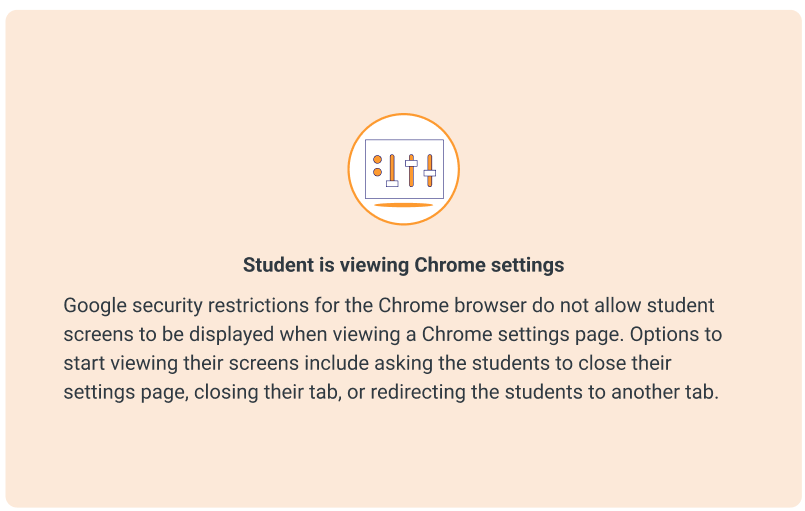


Lightspeed Classroom Management has introduced new thumbnails to assist teachers in troubleshooting why a student’s active screen is not appearing in Classroom Management. The appropriate thumbnail will appear to provide context and help explain why the screen is not showing.

Teachers will see different icons for various situations, such as when a student is viewing Chrome Settings, viewing a blank tab, doesn’t have any tabs open, and so on.

All the details, including examples of the snazzy new icons, can be found HERE.

____________________________


We rate this new feature five stars! ⭐⭐⭐⭐⭐


To add to the list of question types that users can respond to in Google Forms and enable the collection of feedback in a more engaging way, Google recently added a rating question type.
This new question type enables you to customize rating questions by setting a rating scale level from 3 to 10, and include rating icons to offer a more intuitive way to gather opinions from an audience. You can represent your rating with Stars ⭐, Hearts πŸ’–, or Thumbs upπŸ‘.
With this update, you'll be able to analyze responses to these questions (e.g. average rating of responses and visual distributions of ratings) using the Summary tab of the responses section. All the details on this new question type, and all Forms question types, can be found HERE.

What do you think of this new feature? Let us know (and get a chance to win great* prizes) HERE.
 

*As stated in a previous Tuesday Tech Tips Prize Giveaway, "great" is a relative term.  Pens, stickers, and other tchotchkes are, for these purposes, "great."

________________________________


For assistance with these topics, or anything else related to instructional technology, please click HERE to book an appointment with your building's ITT.

'

1-16-2024 Tuesday Tech Tips


In today's Tuesday Tech Tips, read all about a quick way to take a screenshot in Windows, a new look in Google Drive, typing by voice, Typing Agent, and a whole lot more! ➡️ ➡️➡️  


πŸ’‘ Quick Tip πŸ’‘

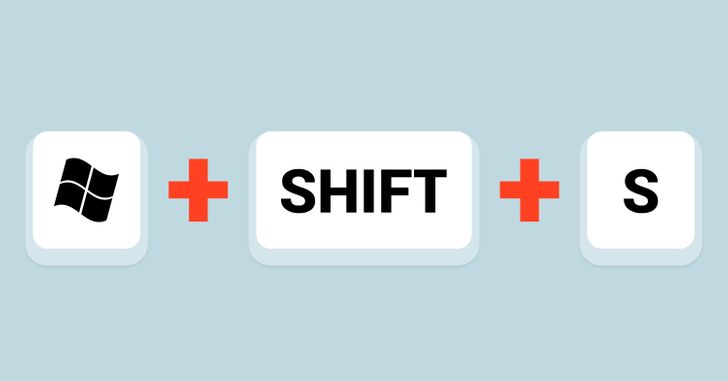
Did you know that Windows has a slick keystroke shortcut to take a screenshot?  Windows Key + Shift + S. You can click and drag for a screenshot, which then instantly gets added to the clipboard.  Then just paste it wherever you want.

Find all the details on this HERE. 


Thanks to the LR teacher who shared the Quick Tip with us! ⬆️ Do you have a tip, idea, or topic for the Tuesday Tech Tips? Please let us know! You can email us at joseph.lombardo@greececsd.org with your submission.

________________________________

In the January 2 tips HERE, we told you about a Chromebook troubleshooting poster for your classroom or office. By request, we've also made a version of it that can be printed in black and white. You can find the color version HERE, and the b&w version HERE.

Please note that both versions are designed to be printed on 8.5" X 14" legal sized paper.

________________________________


Unless you prefer My Drive to Home. 
Go to your Drive settings to choose.


There's a new Home view option in Google Drive


Google recently introduced the latest series of changes that accelerate user productivity across new views in Drive. A new streamlined homepage for Drive called Home makes it easier and faster for you to find files that matter most. Specifically, you’ll notice:
  • Personalized file and folder suggestions with machine learning algorithms that can help you get started quickly. These suggestions utilize a variety of signals, such as what files or folders you’ve recently opened, shared or edited, or what documents are attached to upcoming Calendar events.
  • Filter chips to narrow down your search and find relevant files faster across Drive, making it easy to find suggested files by type, people, modified date or the location.
  • A more modern design inline that helps you navigate across Drive much more efficiently.

To set your landing page back to My Drive, go to the gear in the upper right corner in Drive and set your Start page there.


Click your heels three times and find all the details about this HERE.
________________________________


Voice Typing in Google Docs and Slides

Did you know you can type and edit by speaking in Google Docs or in Google Slides speaker notes?

  • Open a document in Google Docs
  • Click Tools and then Voice typing. A microphone box appears.
  • When you're ready to speak, click the microphone. (You may have to click "allow" for the microphone permissions)
  • Speak clearly, at a normal volume and pace
  • When you're done, click the microphone again


Direction are similar in Slides notes. You can find all the details, HERE.


Of course, good ol' fashioned typing is still always an option. Which reminds us, did you know that all students K-8 have Typing Agent accounts just waiting to be utilized? Find all the details HERE, or reach out to your ITT for assistance.


________________________________


Looking for PL Hours? Be sure to check out the ITT’s page for Recommended PL HERE. You’ll find upcoming webinar and session opportunities, as well as on-going opportunities for digital tool certifications and self-paced learning. These offerings are updated frequently so bookmark the site and check back often!


________________________________


For assistance with these topics, or anything else related to instructional technology, please click HERE to book an appointment with your building's ITT.


10-17-2023 Tuesday Tech Tips


In today's Tuesday Tech Tips, read all about adding interactivity to (and removing ads from) YouTube videos, connecting your classroom with experts and organizations around the world, annotating your Google Slides presentations, & more! ➡️ ➡️➡️   


πŸ’‘ Quick Tip πŸ’‘

By default, the compose window in Gmail is popped into a small window in the bottom, right corner in Gmail. For some of us, that small window feels claustrophobic.  Have you ever wished you had a larger composition mode? In this week's Quick Tip, learn not only how to change the compose window to full-screen, but also how to make this the default view in new emails, plus how to go to full-screen in reply emails.


________________________________________________________________


New Tool: Interactive Questions for YouTube Videos in Google Classroom


We recently shared some information about avoiding ads in YouTube. Subsequently, there were changes in Google that made some of those directions obsolete. In response to that, we'd like to share another option, which is a new functionality in Google Classroom: Interactive Questions for YouTube. Teachers can use interactive questions for YouTube videos to:


  • Create interactive YouTube video assignments (think Edpuzzle)
  • Save time with the autograde tool
  • Simply share YouTube videos in Classroom to make them ad-free even without adding the interactive questions (we think*)

*Throughout our testing, it has been the case that this process removes ads in YouTube, although we haven't been able to find any documentation that explicitly says that.

As always, make sure the video you're working with is labeled "Watchable by greececsd.org" or "Video approved for greececsd.org," otherwise your students won't be able to access it. Staff members can approve videos labeled "Video not approved for greececsd.org," but keep in mind that doing that approves the video for all GCSD students, so please exercise caution.

Plenty of details and directions on this exciting new feature are available HERE.

________________________________________________________________


Make the World Your Classroom


One of the most transformative ways to leverage technology in education is to break through the four walls of the classroom, and collaborate with experts from around the world. A resource that can help you connect with virtual learning opportunities is the Center for Interactive Learning and Collaboration (CILC).

CILC partners with world-renowned museums, zoos, science centers, experts, and more to connect individuals to live, interactive, virtual visits that inspire learning. Just a few of the hundreds of providers accessible through CLIC are:

  • National Museum of the U.S. Army (info HERE)
  • Smithsonian American Art Museum (info HERE)
  • The Holocaust Memorial and Tolerance Center (info HERE)
  • National Baseball Hall of Fame and Museum (info HERE)

Registration is free, as are hundreds of the videoconference opportunities found there.  Visit CILC by clicking HERE, and reach out to your ITT for any support you need.

___________________________________________


Annotate your Google Slides with its New Pen Tool


Google has introduced a feature that lets you highlight or emphasize key content while you present in Google Slides. With the new pen tool, you can circle, underline, draw connections or make quick notes directly on your presentation.

Whether you're delivering a lesson with your students, or you're in a department meeting at District Office, annotations can help make your presentations more engaging, interactive, and impactful.

All the details can be found HERE.

________________________________________________________________


For assistance with these topics, or anything else related to instructional technology, please click HERE to book an appointment with your building's ITT.


2-14-2023 Tuesday Tech Tips


In our Valentine's Day Tech Alerts, we hope you ❤️love❤️  learning more about Nearpod, our schools' live morning shows, Google Classroom originality reports, and more!   ➡️➡️              

  Tuesday's Tip:
 Do you know you can insert GIF's into Google Docs, Slides, Drawings, etc.?
 
  If you want to learn how, then this ⬇️ is for you!


________________________________________________________________


Nearpod News

Check out these great updates to Nearpod! We especially love the updated Lesson Preview experience, and the new Math Manipulatives for students.


As a reminder, ALL Greece teachers have a premium Nearpod account- simply sign in with Google. Check here for more info.

Plus, Nearpod is hosting "Camp Engage," a free virtual PL opportunity from Feb 23-26! Save your seat at bit.ly/3Rw1rp9

(Yeah, no one at Nearpod asked us when our February Recess is.)


________________________________________________________________


Good Morning, Greece Central!

Many of our schools are broadcasting daily morning announcements on YouTube. If you're not a school-based employee, we urge you to please consider making it part of your morning routine to tune in to this incredible, funny, imaginative, informative student-led work from one of these schools.

The live morning shows can be found daily at these links:

Additionally, past shows can be seen here for ARHS, AL, BS, CH, LR, OLY, and PB.

We're in the process of getting even more schools up and running. Don't see your school on here? Connect with your ITT to learn more about this and for help getting started.

___________________________________________________________
Have You Tried Originality Reports in Google Classroom?

You and your students can use originality reports to check work for originality and authenticity of assignments handed in through Classroom. When you run a report, it compares a student’s Google Docs or Slides file against webpages and books on the internet, as well as assignments submitted by other students in GCSD. The report links to detected sources and flags uncited text.

Learn more about originality reports with this brief video and help page, courtesy of the experts at Google.  

________________________________________________________________

We asked Chat-GPT...


For assistance with these topics, or anything else related to instructional technology, please check in with your friendly neighborhood ITT.