
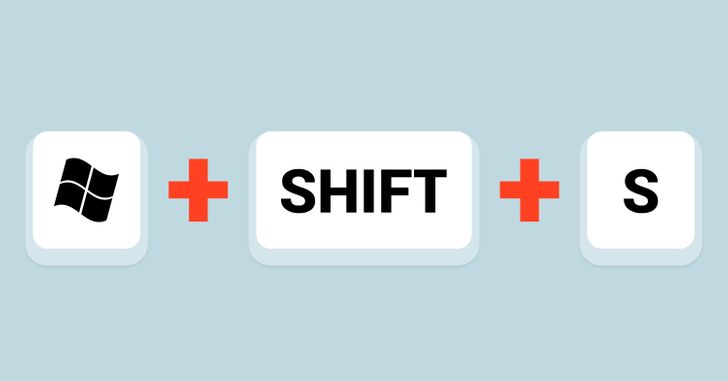
In today's Tuesday Tech Tips, read all about a quick way to take a screenshot in Windows, a new look in Google Drive, typing by voice, Typing Agent, and a whole lot more! ➡️ ➡️➡️ | 💡 Quick Tip 💡 Did you know that Windows has a slick keystroke shortcut to take a screenshot? Windows Key + Shift + S. You can click and drag for a screenshot, which then instantly gets added to the clipboard. Then just paste it wherever you want. Find all the details on this HERE.
|
Thanks to the LR teacher who shared the Quick Tip with us! ⬆️ Do you have a tip, idea, or topic for the Tuesday Tech Tips? Please let us know! You can email us at joseph.lombardo@greececsd.org with your submission.
________________________________
In the January 2 tips HERE, we told you about a Chromebook troubleshooting poster for your classroom or office. By request, we've also made a version of it that can be printed in black and white. You can find the color version HERE, and the b&w version HERE.
Please note that both versions are designed to be printed on 8.5" X 14" legal sized paper.
________________________________

There's a new Home view option in Google Drive
Google recently introduced the latest series of changes that accelerate user productivity across new views in Drive. A new streamlined homepage for Drive called Home makes it easier and faster for you to find files that matter most. Specifically, you’ll notice:
- Personalized file and folder suggestions with machine learning algorithms that can help you get started quickly. These suggestions utilize a variety of signals, such as what files or folders you’ve recently opened, shared or edited, or what documents are attached to upcoming Calendar events.
- Filter chips to narrow down your search and find relevant files faster across Drive, making it easy to find suggested files by type, people, modified date or the location.
- A more modern design inline that helps you navigate across Drive much more efficiently.
To set your landing page back to My Drive, go to the gear in the upper right corner in Drive and set your Start page there.

________________________________

Voice Typing in Google Docs and Slides
Did you know you can type and edit by speaking in Google Docs or in Google Slides speaker notes?
- Open a document in Google Docs
- Click Tools and then Voice typing. A microphone box appears.
- When you're ready to speak, click the microphone. (You may have to click "allow" for the microphone permissions)
- Speak clearly, at a normal volume and pace
- When you're done, click the microphone again
Direction are similar in Slides notes. You can find all the details, HERE.
Of course, good ol' fashioned typing is still always an option. Which reminds us, did you know that all students K-8 have Typing Agent accounts just waiting to be utilized? Find all the details HERE, or reach out to your ITT for assistance.
________________________________

Looking for PL Hours? Be sure to check out the ITT’s page for Recommended PL HERE. You’ll find upcoming webinar and session opportunities, as well as on-going opportunities for digital tool certifications and self-paced learning. These offerings are updated frequently so bookmark the site and check back often!
________________________________

For assistance with these topics, or anything else related to instructional technology, please click HERE to book an appointment with your building's ITT.


No comments:
Post a Comment
Send feedback or suggestions!