Google Analytics

Showing posts with label Google Docs. Show all posts

5-13-2025 Tuesday Tech Tips


In today's edition, you can learn all about:

  • Great ways to earn PL hours by June 1
  • A reminder about Phishing emails
  • Some sad news about Loom
  • and more!
  •  ➡️ ➡️➡️  

💡 Quick Tip 💡


Here's a tip we got from TechNotes...

In Docs, Sheets, etc., "Use @ to Insert Smart Chips and Building Blocks. Typing @ in a document lets you quickly insert:
  • People
  • Calendar Events
  • Files
  • Checklists
  • Meeting Notes
  • Decision Logs
  • Road Maps
  • Trackers

And that’s just a handful of what pops up. Just type “@” and skip the menus—everything you need is right at your fingertips!"


Do you have a tip or idea for the Tuesday Tech Tips? Or a request for a topic or question you'd like to know more about? Please let us know! You can email us at joseph.lombardo@greececsd.org with your submission.
___________________________


Reminder- Don't Get Phished! About 90% of the Time, Cyberattacks Are Successful Due to Human Error.

Please take a few moments to review the poster above to see how to recognize and avoid phishing emails. These skills don't only apply to your GCSD email- your personal email is likely a target of phishing, too!
___________________________


We're saying goodbye* to an old favorite of the ITT Team. We just learned that Loom stopped offering their fully-upgraded accounts free to teachers. As there are many other similar products that we already subscribe to, we're no longer recommending Loom as a screen-recording tool.

Instead, the same functionality can be found in Google Vids, the WeVideo extension, Annotate, Canva, and Screencast, which is the built-in Chromebook screen recorder. Look for specific articles about those tools in upcoming Tuesday Tips!

Now, about that "*." If you already have the free, full version of Loom, the vendor tells us "users who are currently on the old free education plan will remain on that plan for now. Please rest assured that if there are any future updates to the plan or its terms, we will be sure to notify all affected users via email in advance."

We're afraid we don't know anything beyond that, but our Spidey Sense is telling us to start brushing up on Vids, WeVideo extension, Annotate, Canva, or Screencast.

We probably all know what "for now" means.

___________________________


Coming Soon....
News on Summer Tech Camp 2025!
___________________________


Are you a GTA member who needs to finish up your required 10 hours of PL by the hard deadline of June 1st? Are you looking for high-quality professional learning related to Instructional Technology?


Be sure to check out the ITT page for Recommended Professional Learning opportunities HERE, where you’ll find webinars, certifications, and especially some new AI learning material…all for PL credit!

___________________________


For assistance with these topics, or anything else related to instructional technology, please click HERE to book an appointment with your building's ITT.

'

Tuesday Tech Tips 4-8-2025


In today's edition, you can learn all about:

  • An update on Teacher Monitor Station requests
  • The best way to format a subject line
  • News regarding students' access to YouTube
  • Access to several years' worth of quick tech tips from our district DDIT meetings
  • and more! ➡️ ➡️➡️  

💡 Quick Tip 💡

Did you know you can create & customize your own keyboard shortcuts in Google Docs?  For example, you can type "hw," and have it turn into "Homework Assignment."
In Docs, go to Tools --> Preferences --> Substitutions

This is super handy for grading comments, common words, and frequently used phrases.


Do you have a tip or idea for the Tuesday Tech Tips? Or a request for a topic or question you'd like to know more about? Please let us know! You can email us at joseph.lombardo@greececsd.org with your submission.
___________________________


For anyone who has requested a monitor station, as we suggested HERE, please know that they are on order and we will fulfill the helpdesk tickets when they arrive. Thanks for your patience!
___________________________


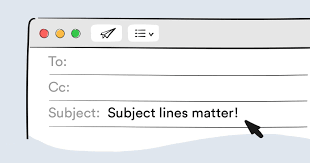
What is the Best Way to Format an Email Subject Line? Keep email subject lines brief- ideally under sixty characters- as this ensures the full message is visible in email previews, especially on mobile devices. Lengthy subject lines can be frustrating for readers as they may not be able to discern the email's content.

Additionally, avoid using the subject line solely as a question without any context in the email body (details HERE). This can be especially confusing for mobile users who may not see the full subject. Instead, provide a concise subject line, and then include the question and relevant details within the email body for clarity. You can view Indeed’s suggestions on how to create a professional email HERE.
___________________________

Have you found the benefits from using AI (Artificial Intelligence) to enhance your teaching and work related tasks? Want to guide your students to learn the benefits of using AI? Join the MagicStudent Pilot for grade 3-12 teachers! Learn about the pilot HERE and contact your ITT to get started today!
___________________________

As we announced in the February 11th Tech Tips HERE, YouTube.com had to be blocked for students as directed by NYS. This is because of NYS’s EdLaw contracts in regards to Student PII. It is not because they think that YouTube is inappropriate.

Perhaps unsurprisingly, some students are finding simple workarounds to watch YouTube. However, these workaround don't include signing into YouTube, so we are not out of compliance with what NYS has asked us to do.

Please understand that TSS cannot possibly block every site that students find that give them the ability to watch YouTube videos.

Please follow any consequences you would apply to a student being noncompliant in your classroom for not following your instructions. It is a violation of the Code of Conduct for student to "access personal, interactive sites unless under the direct supervision of a staff member."
__________________________
“My One Little Thing” is a recurring part that we have during our District Digital Innovation Team (DDIT) meetings. The idea behind them is to show my one little thing we can’t live without with something related to technology.
One of the DDIT members suggested that we share them with the district, so we consolidated them to a Google Slide Deck HERE. It's like a hundred little Tuesday Tech Tips "Quick Tips" all in one spot!
___________________________


Are you looking for high-quality professional learning related to Instructional Technology? Contact your ITT if you’d like to customize PL for your building, team, or department. Also, be sure to check out the ITT page for Recommended Professional Learning opportunities HERE, where you’ll find webinars, certifications, and especially some new AI learning material…all for PL credit!

___________________________


For assistance with these topics, or anything else related to instructional technology, please click HERE to book an appointment with your building's ITT.

'

11-19-2024 Tuesday Tech Tips


In today's edition, read all about several clever ways to share YouTube videos (including clips of them) with your students or any audience, distance learning opportunities, updates to the teacher view of Lightspeed Classroom, an exciting new feature in Google Forms, another opportunity to win stuff, and more! ➡️ ➡️➡️  


💡 Quick Tip 💡

Did you know you can edit images inside Google Docs and Slides?

In just a few clicks, you and your students can add some pizzazz to your images in Google Docs and Google Slides. You can edit the size, crop, recolor, and more!

See detailed directions HERE and HERE.


Do you have a tip or idea for the Tuesday Tech Tips? Or a request for a topic or question you'd like to know more about? Please let us know! You can email us at joseph.lombardo@greececsd.org with your submission.

________________________________


Update: as of 9/2026, Google has discontinued this functionality.


Did you know you can share short clips from 15 to 60 seconds of many YouTube videos by making a "clip"? You can also create and share a link to a YouTube video that will start the video at a specific point.

  • An explanation on how to clip a YouTube video can be found HERE. That includes instructions how to configure your YouTube settings so you can use this feature.
  • To define a "Start at" time, click the Share button under the video and look for the check box to choose a timestamp. You can also add a timestamp manually by typing special characters after the regular link. The nice folks at Lifewire have written up a detailed guide for both of these methods HERE.


And let's not forget, back in the 💯th edition of the Tuesday Tech Tips HERE, we showed how you can use Watchkin to share YouTube videos without ads.

Using these methods, you can, for example, share a video of Pink Floyd's 1994 performance of Comfortably Numb these three ways:
  • A clip of a particularly spectacular portion of David Gilmour's legendary guitar solo HERE.
  • A "Start at" link beginning at the first solo, or the 2:12 mark, HERE. (may have ads)
  • An ad-free version of the entire video HERE.

This reminds us....even if progressive British rock isn't your bag, there are scores of distance learning opportunities in not just music but all subject areas available for you and your students. These include the Country Music Hall of Fame HERE and the Manhattan School of Music HERE, all available through the Center for Interactive Learning and Collaboration (CILC), which you can learn more about in a previous edition of your Tech Tips HERE.

____________________________


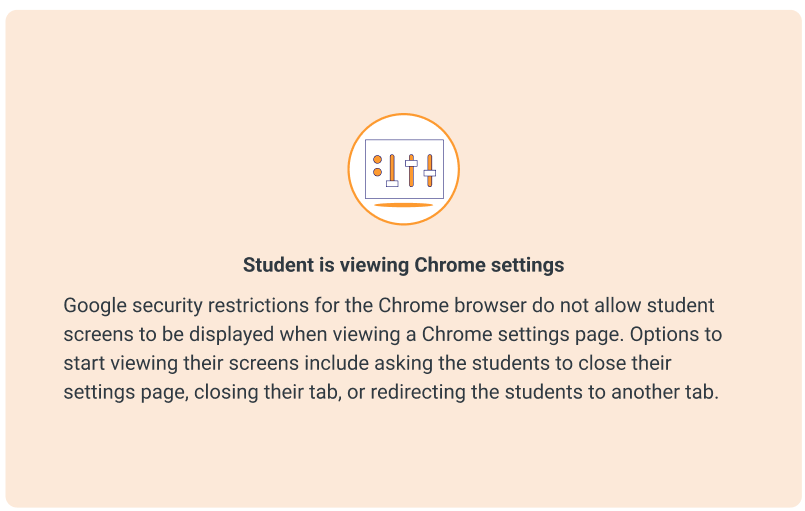
Lightspeed Classroom Management has introduced new thumbnails to assist teachers in troubleshooting why a student’s active screen is not appearing in Classroom Management. The appropriate thumbnail will appear to provide context and help explain why the screen is not showing.

Teachers will see different icons for various situations, such as when a student is viewing Chrome Settings, viewing a blank tab, doesn’t have any tabs open, and so on.

All the details, including examples of the snazzy new icons, can be found HERE.

____________________________


We rate this new feature five stars! ⭐⭐⭐⭐⭐


To add to the list of question types that users can respond to in Google Forms and enable the collection of feedback in a more engaging way, Google recently added a rating question type.
This new question type enables you to customize rating questions by setting a rating scale level from 3 to 10, and include rating icons to offer a more intuitive way to gather opinions from an audience. You can represent your rating with Stars ⭐, Hearts 💖, or Thumbs up👍.
With this update, you'll be able to analyze responses to these questions (e.g. average rating of responses and visual distributions of ratings) using the Summary tab of the responses section. All the details on this new question type, and all Forms question types, can be found HERE.

What do you think of this new feature? Let us know (and get a chance to win great* prizes) HERE.
 

*As stated in a previous Tuesday Tech Tips Prize Giveaway, "great" is a relative term.  Pens, stickers, and other tchotchkes are, for these purposes, "great."

________________________________


For assistance with these topics, or anything else related to instructional technology, please click HERE to book an appointment with your building's ITT.

'

4-23-2024 Tuesday Tech Tips


In today's Tuesday Tech Tips, read all about using a citation and bibliography tool built into Google Docs, news on Newsela, how to leverage Swank to provide access to movies for your students, and more! ➡️ ➡️➡️  


💡 Quick Tip 💡

Action shot of a Tuesday Tech Tips reader putting a new skill to use.


On a Chromebook, one way to open a link in a new tab is to use a 3-finger click.  Score another one for Chromebooks!

More details HERE.


Do you have a tip or idea for the Tuesday Tech Tips? Or a request for a topic or question you'd like to know more about? Please let us know! You can email us at joseph.lombardo@greececsd.org with your submission.
_____________________


Did you know that Google Docs can help students properly cite and create a bibliography using Chicago, MLA, or APA style? In Docs, go to Tools --> Citations.

Citing your sources has never been more fun. More details can be found HERE.
_____________________


Newsela has changed their “free” access. They now pick the articles that are “free," removing the choice for teachers. This has mainly impacted the ELA teachers at the secondary level.

As we begin the curriculum review cycle with the 9-12 teachers, this might be a resource that we add at a premium level should the committee determine it is needed. We will continue to renew premium level access for all Social Studies teachers on our 6-12 campuses.

Bonus Tip: Have you ever wondered how to pronounce Newsela? Well, grab your umbrella, eat some mozzarella, and click HERE to find out.

_____________________


Loyal Tuesday Tech Tips
Reader Hilary Swank
 

You can share links to movies from Swank directly with your students!  While only staff members can search for movies in Swank, which is accessible via ClassLink, you can get links to movies there- and share the links with your students.  

Using the link you provide them, students can supply their GCSD Google accounts credentials, and stream the movie on their own devices.

Inspiring content available in Swank

Please remember to always consider the Board Policy on movies as it relates to ratings and ages linked HERE before using Swank, or any other movies, with your students.  
_____________________


Looking for PL Hours? Be sure to check out the ITT’s page for Recommended PL HERE. You’ll find upcoming webinar and session opportunities, as well as ongoing opportunities for digital tool certifications and self-paced learning. These offerings are updated frequently so bookmark the site and check back often!
_____________________


For assistance with these topics, or anything else related to instructional technology, please click HERE to book an appointment with your building's ITT.


3-12-2024 Tuesday Tech Tips


In today's Tuesday Tech Tips, read all about keeping your Gmail organized with Snoozing and Google Tasks, checking  for signs of cheating with Version History, facilitating difficult classroom conversations with technology,  and more! ➡️ ➡️➡️  


💡 Quick Tip 💡

Do you find the "new message" window in Gmail to feel a little claustrophobic?  Do you want it to default to a larger window?


This short video will show you how to set this to your default view.  Then you can enjoy a nice, roomy, email-writing experience!


Do you have a tip or idea for the Tuesday Tech Tips? Or a request for a topic or question you'd like to know more about? Please let us know! You can email us at joseph.lombardo@greececsd.org with your submission.
_____________________

Pass by Securly has been added to all district Chromebooks in the Apps section in the lower left when no one is signed into the device. This is the same place we use for apps for state testing. The app is there only for the schools who use Pass, and this will allow staff to make any Chromebook a kiosk for Pass by Securly. Schools that use this will receive a separate communication from their building's ITT with more details.


If you click on any of these Apps accessible on the sign in screen and get "stuck" in them, press the power button on the Chromebook for one second, then click "Sign Out."
_____________________

Attention K-2 Teachers: We've been working closely with both Google and ClassLink to solve the issue where students access their Chromebooks via a QuickCard, but can't access Google apps without supplying a password one time.

The issue is resolved.  Your K-2 students can now access  Drive, Docs, etc. without being prompted for a password. Thanks for your patience while our partner vendors worked through this.
_____________________

You Snooze, You Don't Lose


Trying to keep an organized Gmail inbox? Try one of these: snooze 😴 or task ✅ your Gmail messages! Click HERE to learn more about snoozing messages in Gmail and HERE to learn all about Google Tasks.

_____________________

Combat Academic Dishonesty with Version History


With the proliferation of AI writing tools, it's easier than ever for students to find written work on the internet to copy and paste into Google Docs and submit as their own.

One tool teachers have to fight this is Version History in Docs. In any Doc, such as one written by a students, go to File --> Version History --> See Version History. If you see that one moment the Doc is blank, and the next an entire page of text appears, that may be a reason to have a conversation with the student to understand how that happened. It's important to remember, there are legitimate reasons that could explain it, but it's probably worth a conversation.

All the edits made to the Doc can be viewed, along with the time they were made, allowing it to be compared with the previous versions. The editor's name also appears next to the specific edit if the document has multiple editors.

For more details on working with Version History in Docs, click HERE.

_____________________


Using Tech to Facilitate Difficult Classroom Conversations

Technology can enable middle and high school students to contribute more freely to discussions on challenging topics and events.

This article from Edutopia HERE describes how one teacher used Nearpod, utilizing its ability for students to post anonymously and the teacher to screen and approve posts, to facilitate a challenging discussion in a thoughtful, respectful, and developmentally appropriate manner.

In the end, the teacher "was astounded by how robust and respectful the Nearpod conversations were. Students wrote profound and thoughtful posts, offered multiple responses to each question, and stayed engaged throughout the activity."

Your ITT's have curated resources related to Nearpod HERE. Please reach out to us HERE for more support.
_____________________


Looking for PL Hours? Be sure to check out the ITT’s page for Recommended PL HERE. You’ll find upcoming webinar and session opportunities, as well as ongoing opportunities for digital tool certifications and self-paced learning. These offerings are updated frequently so bookmark the site and check back often!
_____________________


For assistance with these topics, or anything else related to instructional technology, please click HERE to book an appointment with your building's ITT.